Astra主题 + Elementor可以快速构建WP网站,对于Astra主题默认带一些样式,会对Elemetentor设计的界面产生布局异常
问题:目前我们B2B网站大多采用Astra主题+Elementor设计器进行构建,页面开发的过程中,偶尔会遇到页面设计器中样式和前端样式不一至的情况。Astra中默认会动态生成一些样式,导致界面无法100%复刻编辑器中的设计样式,对于Loop Grid元素设计的布局,Astra默认会插入ast-grid-common-col样式类,导致前端显示Grid的Item元素时,Item有多余的左右边距
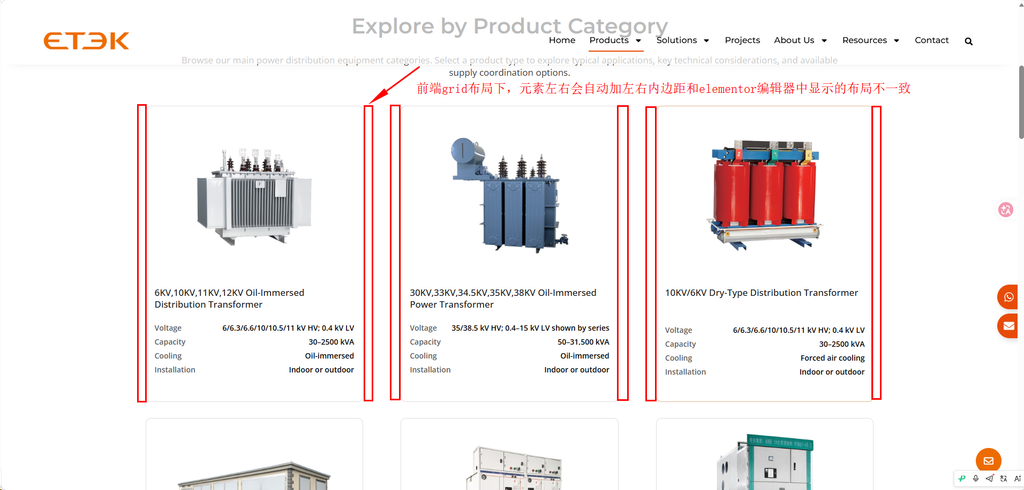
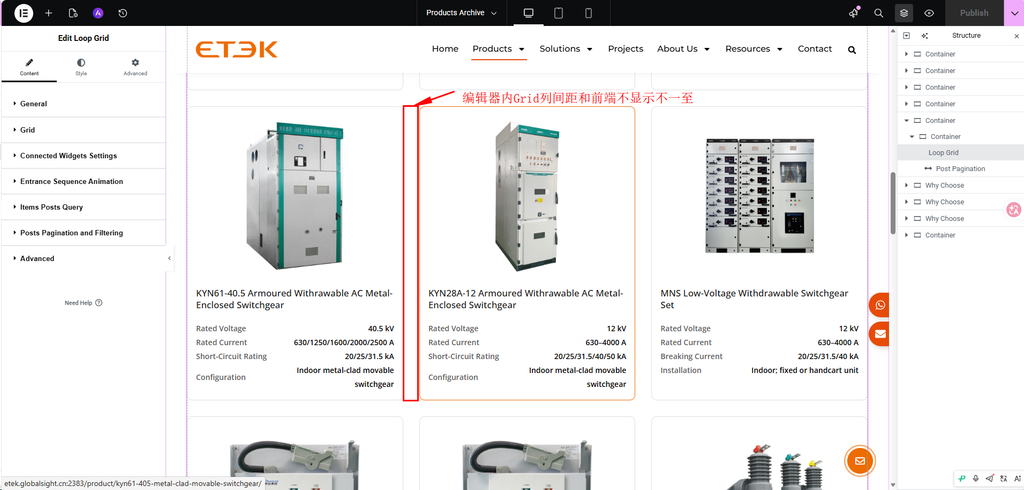
方案:对于Aastr主题,我们可以用下面的样式进行重置覆盖,修复样式偏差。创建一个Astra主题的子主题,所有修复的样式放在子主题中,防止升级Astra主题时,导致样式丢失
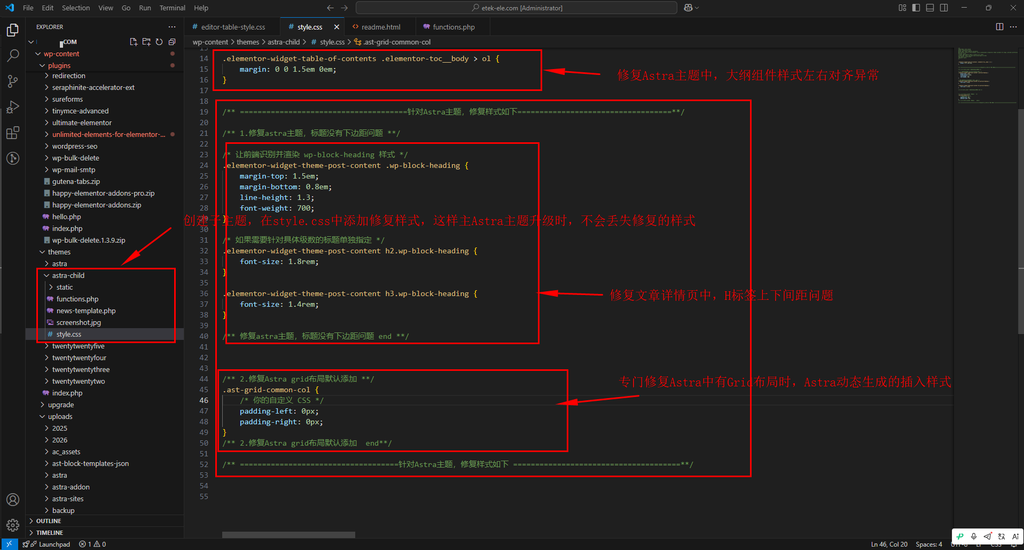
style.css代码如下:
/**
Theme Name: Astra Child
Author: Brainstorm Force
Author URI: http://wpastra.com/about/
Description: Astra is the fastest, fully customizable & beautiful theme suitable for blogs, personal portfolios and business websites. It is very lightweight (less than 50KB on frontend) and offers unparalleled speed. Built with SEO in mind, Astra comes with schema.org code integrated so search engines will love your site. Astra offers plenty of sidebar options and widget areas giving you a full control for customizations. Furthermore, we have included special features and templates so feel free to choose any of your favorite page builder plugin to create pages flexibly. Some of the other features: # WooCommerce Ready # Responsive # Compatible with major plugins # Translation Ready # Extendible with premium addons # Regularly updated # Designed, Developed, Maintained & Supported by Brainstorm Force. Looking for a perfect base theme? Look no further. Astra is fast, fully customizable and beautiful theme!
Version: 1.0.0
License: GNU General Public License v2 or later
License URI: http://www.gnu.org/licenses/gpl-2.0.html
Text Domain: astra-child
Template: astra
*/

/** ======================================针对Astra主题,修复样式如下===================================**/

/** 1.修复astra主题,标题没有下边距问题 **/

/* 让前端识别并渲染 wp-block-heading 样式 */
.elementor-widget-theme-post-content .wp-block-heading {
    margin-top: 1.5em;
    margin-bottom: 0.8em;
    line-height: 1.3;
    font-weight: 700;
}

/* 如果需要针对具体级数的标题单独指定 */
.elementor-widget-theme-post-content h2.wp-block-heading {
    font-size: 1.8rem;
}

.elementor-widget-theme-post-content h3.wp-block-heading {
    font-size: 1.4rem;
}

/** 修复astra主题,标题没有下边距问题 end **/


/** 2.修复Astra grid布局默认添加 **/
.ast-grid-common-col {
    /* 你的自定义 CSS */
    padding-left: 0px;
    padding-right: 0px;
}
/** 2.修复Astra grid布局默认添加  end**/


/** 3.修复Astra,详情页Elementor 文章大纲组件样式左右非对齐异常 **/
.elementor-widget-table-of-contents .elementor-toc__body > ol {
    margin: 0 0 1.5em 0em;
}

/** ====================================针对Astra主题,修复样式如下 ======================================**/