外贸独立站开发-Elementor教程分享

外贸独立站开发-Elementor教程分享

选择Astra主题用Elementor设计Page页时,编辑器中布局正常,前端显示变窄

选择Astra主题用Elementor设计Page页时,编辑器中布局正常,前端显示变窄

2025年7月15日 大白

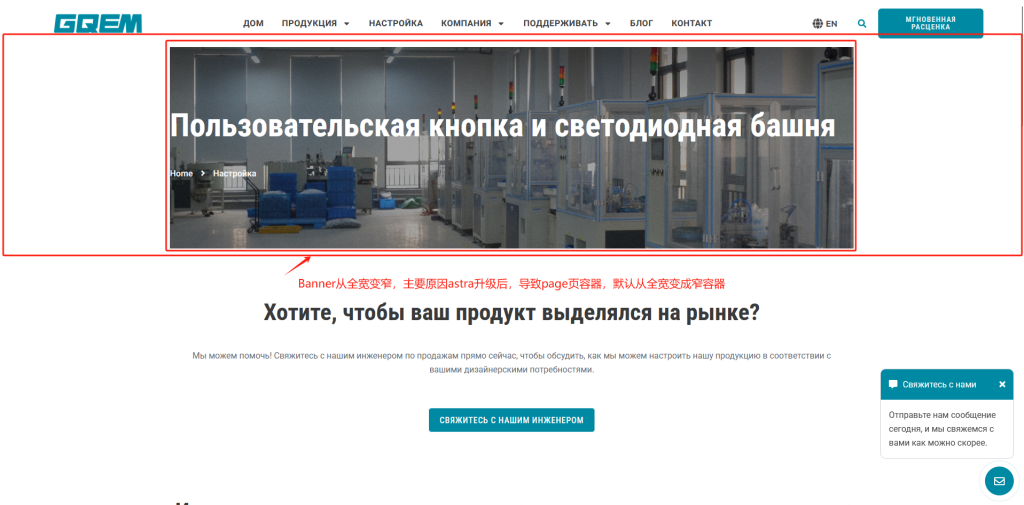
问题:页面列表中创建的Elementor页面布局,编辑器中显示宽度显示正常,打开前端显示整页变窄

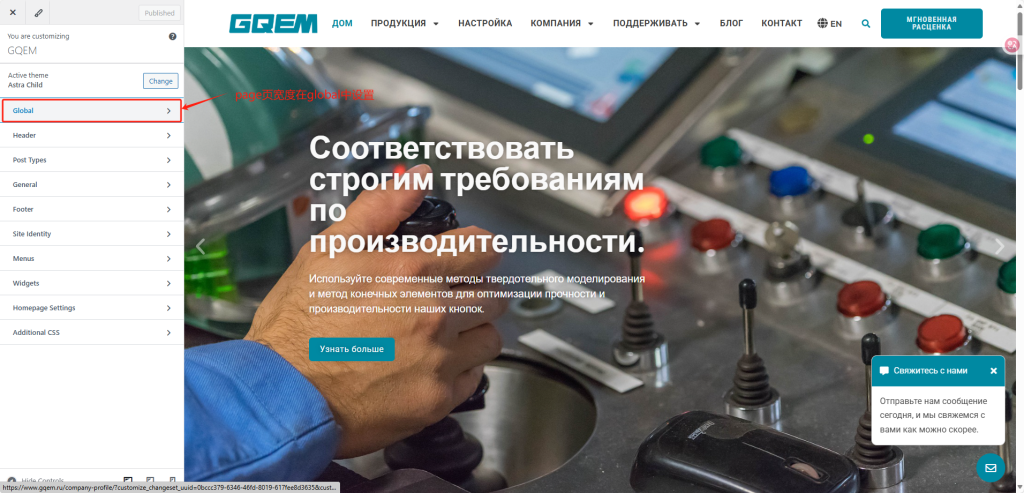
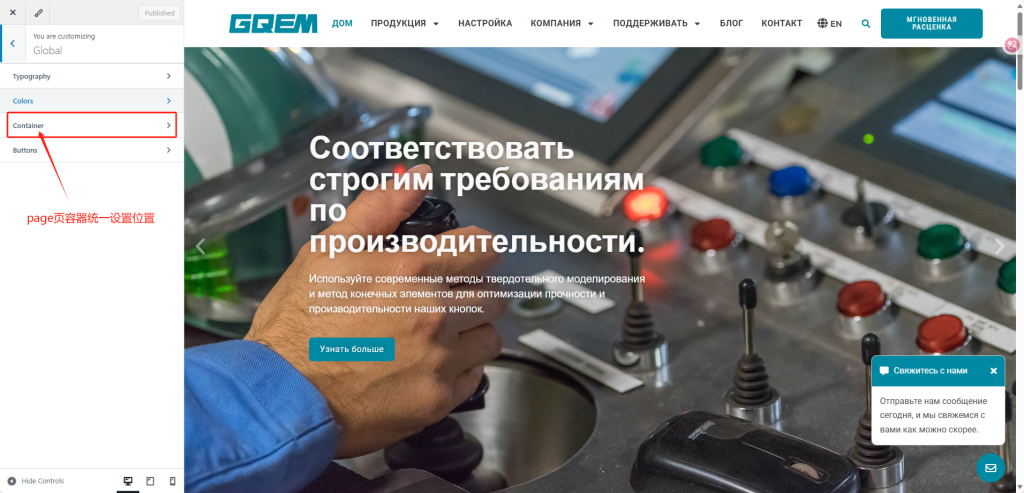
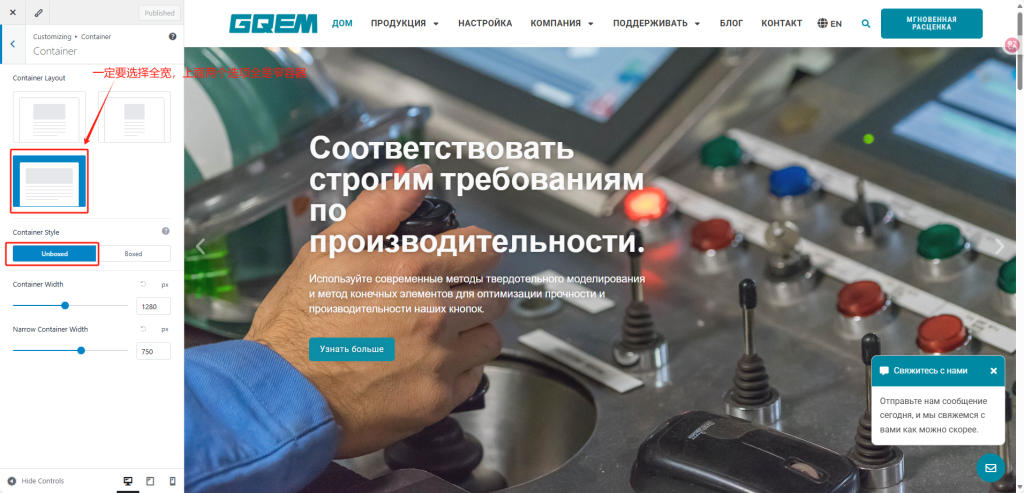
解决方案:外观->自定义->Global->Container选择容器默认全宽

Astra主题教程, Elementor教程

Post navigation

PREVIOUS
Elementor编辑页面时,报错:Fatal error: Allowed memory size of 268435456 bytes exhausted (tried to allocate 32768 bytes)
NEXT
开启Yoast SEO插件后,编辑header时,elementor无法打开编辑器
Comments are closed.
  • Astra主题教程
  • Elementor教程
  • HappyAddons
  • SEO教程
  • Unlimited Elements
  • WP基础教程
  • WP插件教程
  • 人生方向
  • 其它
  • 前端技巧
  • 加速优化教程
  • 多语言
  • 常用WP函数
  • 未分类
  • 系统架构
  • 谷歌Ads

近期文章

  • 如何在古德堡构建的页面中全局嵌入Elementor pro实现的设计模板,实现古德堡页面全局统一引用elementor pro设计
  • Proxyman抓包工具
  • 自定义类型achive页,标题删除”归档”
  • Astra主题Unlimited Elements插件中的 Post Pagination组件,开发的自定义产品分类页产品归档页,分页标签组件异常问题
  • wordpress系统开发教程
© 2026 | Proudly Powered by WordPress | Theme: Nisarg